How aimos Works
Understanding the hardware-level architecture that makes aimos completely undetectable.
The Three Main Components
Arduino Leonardo
The brain that processes and relays mouse inputs
USB Host Shield
Lets the Arduino read your physical mouse
Your USB Mouse
Plugged into the Host Shield
The Hardware Setup
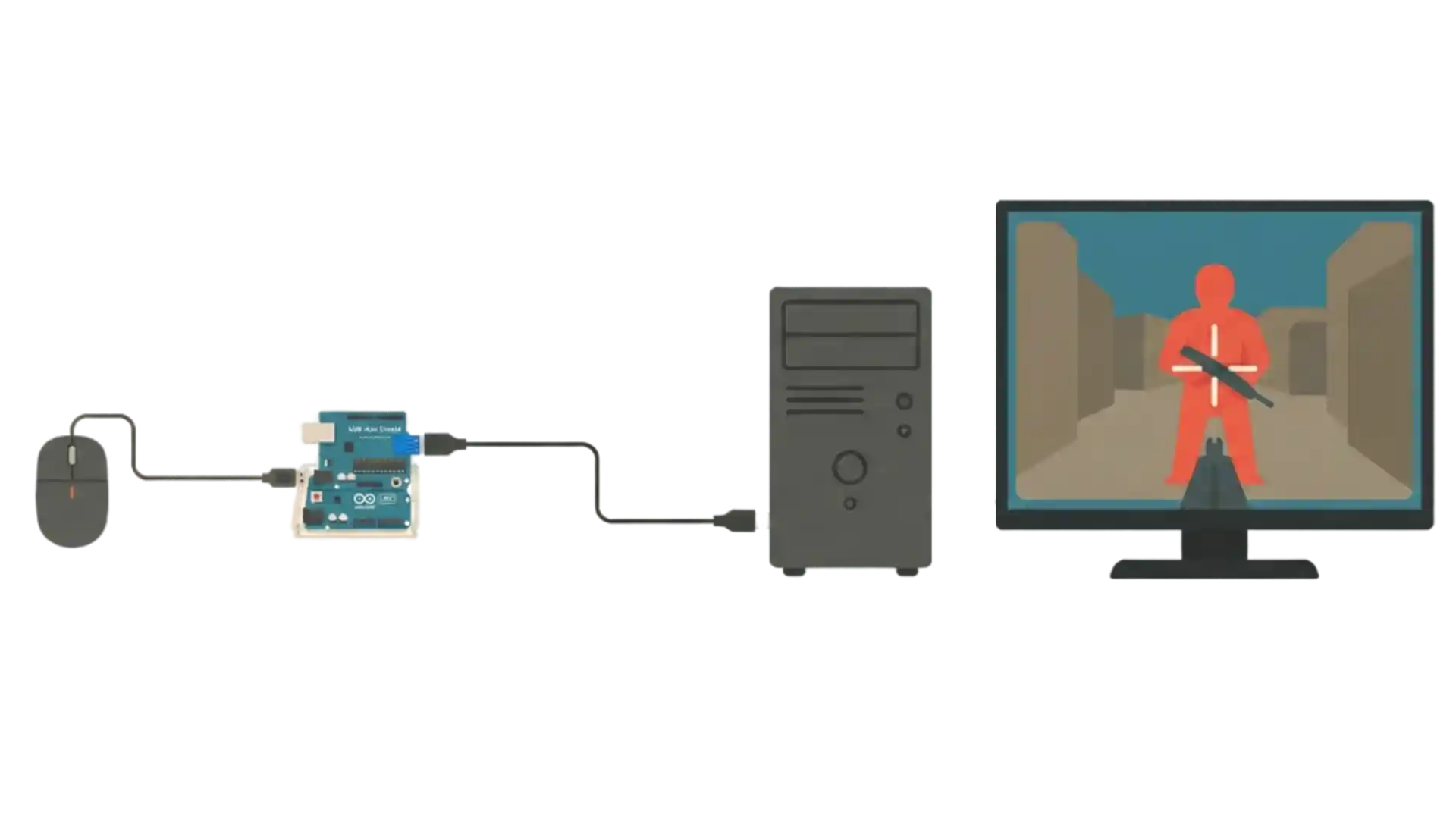
Your Mouse
Connected to Host Shield
Host Shield
Mounted on Arduino
Arduino Leonardo
Connected to PC via USB
Your PC
Sees only one mouse
Signal Flow: Mouse → Host Shield → Arduino Leonardo → PC
USB Host Shield: Your Mouse Gateway
Aimos uses an Arduino Leonardo with a USB Host Shield so your mouse plugs into Aimos instead of directly into the PC. The Leonardo reads every movement and click in real time and forwards them to your computer as one normal gaming mouse.
One Mouse to the PC
Windows and anti‑cheat systems only ever see a single mouse device. Your original mouse is hidden behind the hardware bridge, so there are no extra virtual devices or duplicate mice to flag. For the PC there is only one human moving one mouse.
Color-Based Detection
When aimos is enabled, it uses a tiny region around your crosshair to find the color you configured (red, yellow or purple), and adds small, human-like corrections on top of your own aim.
Completely Undetected
From the PC (end *ehem* anticheats), it still only receives standard mouse input from one real‑looking device with genuine mouse IDs, no virtual drivers and no visible COM ports.
Why This Matters
- ✓Real HID mouse input from genuine hardware
- ✓No software hooks, injections, or memory reading
- ✓Single mouse device visible to the system
- ✓Human-like micro-corrections that blend with your aim
- ✓No virtual drivers or COM ports to detect